
How it works
Monitor, understand and prove, in a single platform.
A probe at each site monitors your network from the inside. When something fails, Vigilatum tells you whose problem it is and what to do, and keeps the evidence. You see it all on your dashboard.
What you get
What you need on the day something fails.
Continuous monitoring
Your connection, your office network and the cloud services you use every day, monitored day and night.
Whose fault it is
Your network, your internet provider or the service: we tell you for every incident, so you know who to call.
Alerts you can understand
What has happened, why and what to do, in plain language, with a single alert per incident.
Network forensics
Every incident documented and sealed, ready for a complaint to your internet provider or your service provider.
Network forensicsAll your sites
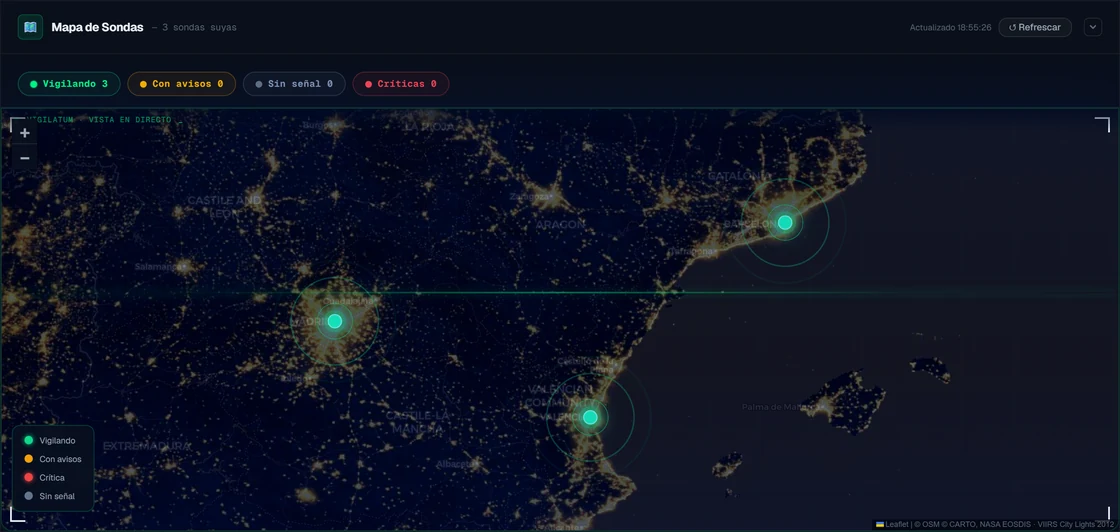
One probe per office, all on the same dashboard, with the status of each one.
Multiple sitesReports
The monthly report with availability and incidents, per site or for all of them.
How it works
From installation to the first alert.
A probe at every site
A lightweight program for Windows or Linux, on a computer that is already switched on in the office. It installs in minutes.
Monitoring from the inside
The probe monitors the network the way the people who work in the office experience it, and sends what it sees to our servers in the European Union.
Alert and incident record
When something fails, the alert appears on your dashboard with the cause and the steps, and the incident record is saved.
On your dashboard
What you see, when you need it.
Alerts
Every alert, with its cause and its steps.
No technical jargon. Each alert says what has happened, since what time, whose fault it is and which steps to follow, marking which are for you, which are for your IT technician and which call for a complaint.
- Urgent matters, flagged as urgent
- Another alert when it recovers, stating how long it lasted

Reports
Clear figures, every month.
The report brings together the availability of each site, the incidents in the period, how long each one lasted and whose fault it was. Ready to print.
Network forensics
How it fits together
Three components, and none of them opens up your network.
The probe
A program on an office computer, on Windows or Linux. It monitors and sends; it never accepts connections.
The server, in the EU
It confirms each failure, diagnoses it and keeps the incident record, in data centres in the European Union.
Security and privacyYour dashboard
At app.vigilatum.es: the status of each site, incidents with their cause, the evidence and the reports.
Customer loginFrequently asked questions
About how it works.
Do I need to install anything on the router or open ports?
No. The probe is a program on a computer that is already switched on in the office, and it only sends information to our servers. Neither the router nor the line configuration is touched.
How do I find out that something has failed?
The alert appears on your dashboard as soon as the failure is confirmed, with the cause and the steps, and another alert follows when it recovers, stating how long it lasted.
What does the probe’s computer need?
Windows or Linux, and to be switched on: the probe monitors while the computer is running. If it is switched off, we let you know.
What happens if the Vigilatum service goes down?
Your network keeps working just the same: the probe only monitors and sends. While our service is not responding, that period is not recorded; once it is back, the probe carries on monitoring.
See what is really happening on your network.
A free pilot with a probe on your real network, with no card and no commitment. We will reply within 24 working hours.